
GHOST Forum can be used on Desktop and Mobile. GHOST Forum has inbuilt chat. Can GHOST Forum completely replace GHOST Whales? Only time will tell!
1. Create Account
To create an account on GHOST Forum you ONLY need an email address. Some users have reported not receiving an activation email or going to spam when using gmail. Proton Mail works!
 ProtonMail
Tutalmail
 Gmail
Gmail
The email will also be useful in receiving forum updates so make sure its not a burner email
2. Mobile App
GHOST Forum has a built-in chat feature, similar to Telegram or Discourse. The usability of ANY chat are push notifications. To begin:
- Go to ghostforum.org on you browser app on your smartphone
- Go to the settings of your browser, there should be an option something along the lines of - Add App to Home Screen
- After clicking you should have a separate app of GHOST Forum on your smartphone
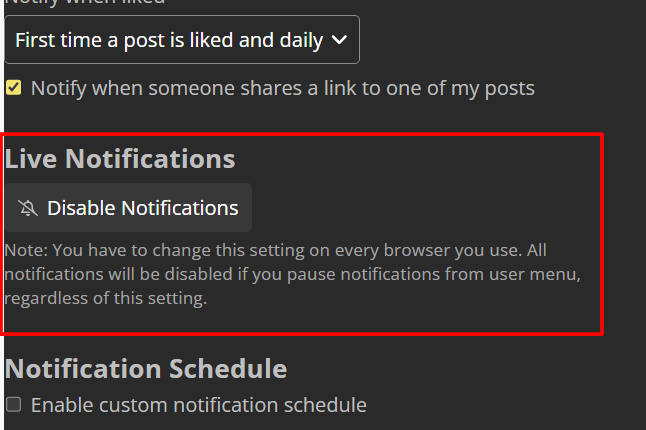
- Login to you GHOST Forum Account and enable notifications by going to:
https://ghostforum.org/u/{your-username}/preferences/notifications
Make sure to change {your-username} to your actual username. You have to enable this for EVERY SINGLE browser where you want to use GHOST Forum.
This has been tested on Android:
- Firefox browser
- Brave browser
iOS users should test and let @Cosmos know 
